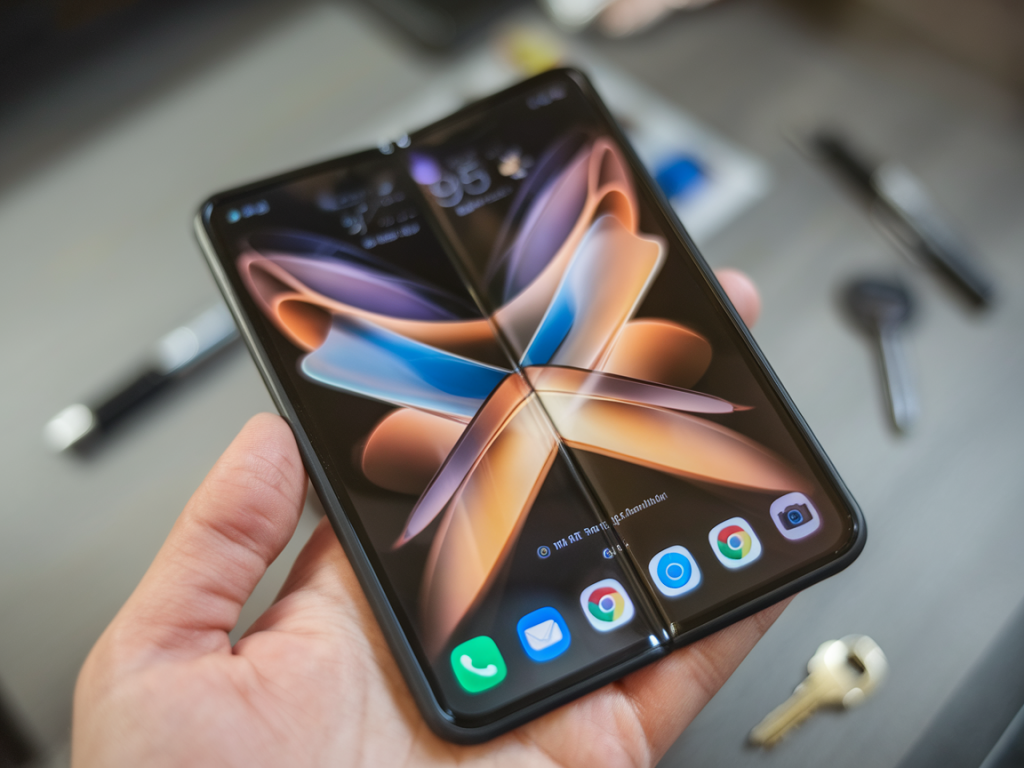
I spent a Sunday afternoon folding, bending and occasionally gasping at my phone while testing five viral folding phone tricks. You know the ones — the feel-good hacks that promise to make scrolling less chaotic, give you a “pro” flex for hands-free viewing, or deliver bite-sized efficiency for TikTok-length attention spans. Some of these tricks felt like genius shortcuts. Others were glorified contortions that left me wondering why I bothered. Here’s the honest breakdown of what I tried, how I did it, and which moves are actually worth your time.
The tricks I tested (quick list)
For clarity, here are the five tricks I put through their paces:
How I tested them
I used three different devices: a Samsung Galaxy Z Fold (most recent model I had access to), a Google Pixel 7 (regular slab phone), and a midrange foldable borrowed from a friend. For non-fold phones I improvised with cases, grips (PopSockets) and tiny travel tripods. I judged each trick on:
Results at a glance
| Trick | Works best on | Practicality | Durability risk |
|---|---|---|---|
| One-Hand Thumb Fold | Large-screen phones, foldables | High — faster one-thumb nav | Low if gentle |
| Standing Book Fold | Foldables, phones with kickstand cases | Very High for hands-free | Medium — hinge stress on cheap devices |
| Pocket Flip Shortcut | Foldables with multitasking UI | Medium — niche but handy | Medium-high if pocketed while half-folded |
| Portrait-to-Landscape Slide | Foldables | Low-medium — tricky to pull off smoothly | Medium — repeated awkward hinge motion |
| Stabilized Selfie Bend | Both — better with foldable | High for quick content | Low with care |
The winners (and why)
Standing Book Fold was my favorite. If you own any modern foldable — or a phone with a case that props it up — this one is a game changer for hands-free watching while I make coffee, tidy up, or follow a recipe. It turns your device into a tiny portable screen without buying a tripod. The viewing angle is comfortable, and it’s way less likely to slip off a surface if you rest it on something slightly textured. On my Galaxy Z Fold it felt natural; the hinge supported the weight and I had no worries about it collapsing mid-scrolldo.
Stabilized Selfie Bend is my second pick. You don’t need a foldable for this — just a bit of creativity with how you angle your phone. For short-form videos, I could half-fold the phone to create a steady base, or use a PopSocket and a small bend to stabilize the camera. It’s faster than digging out a tripod and surprisingly reliable for quick Reels or TikToks. If you’re into impromptu content, this is the trick to master.
The meh and the avoid
One-Hand Thumb Fold is deceptively satisfying. It genuinely helps one-thumb thumb-scrolling when done gently, especially on large-screen phones. But there’s a catch: it feels awkward for longer sessions and can get tiring if your thumb is forced into an unnatural angle. It’s perfect for quick navigations — opening apps or scrolling through a single feed — but don’t expect it to replace a two-hand session.
Portrait-to-Landscape Slide was the most finicky. On paper it sounds smooth: keep the phone half-folded and shift to landscape when a video pops up. In reality, it took a lot of micro-adjustments and double-checking that the app would reorient properly. On devices with robust hinge sensors and software continuity (looking at you, Samsung), it worked better. On other phones, it felt like fighting the UI. I wouldn’t recommend it unless you love performing tech yoga.
Pocket Flip Shortcut is the most niche. If you have a foldable and use widgets or split-screen a lot, this can be a cool speed bump to check notifications or glance at a calendar without opening the whole device. But it’s risky if your phone tucks into tight pockets — half-folded devices can warp pressure points on the hinge over time. If you pocket your phone a lot, don’t make half-folds your habit.
Practical how-tos (so you can try them)
Here are quick steps for the useful ones.
Standing Book Fold — best on a foldable:
Stabilized Selfie Bend — works on any phone:
Safety, durability and etiquette
Let’s be honest: repeated folding that stresses the hinge or pocketing a half-folded device can shorten your phone’s life. Foldables are designed for bending, but they aren’t invincible — treat their hinges like a delicate hinge on a quality handbag. Avoid sharp, forceful folds, and don’t shove a device in a pocket when it’s midway folded.
Etiquette note: some of these tricks look very “look at me” in public. That stabilized selfie bend can make you look like you’re setting up for a full shoot. If you’re in a café or a quiet space, be mindful of the space and people around you — nobody wants to feel like a background prop for your content.
Accessories worth grabbing
Overall, the headline here is simple: some viral folding phone tricks are genuinely useful, especially if you have a foldable device. Others are more about the novelty or the clip that looks cool on TikTok. Try the Standing Book Fold and the Stabilized Selfie Bend — they made my scrolling and quick content creation noticeably less chaotic. The rest? Cute experiments that may or may not deserve a permanent spot in your habit mix.