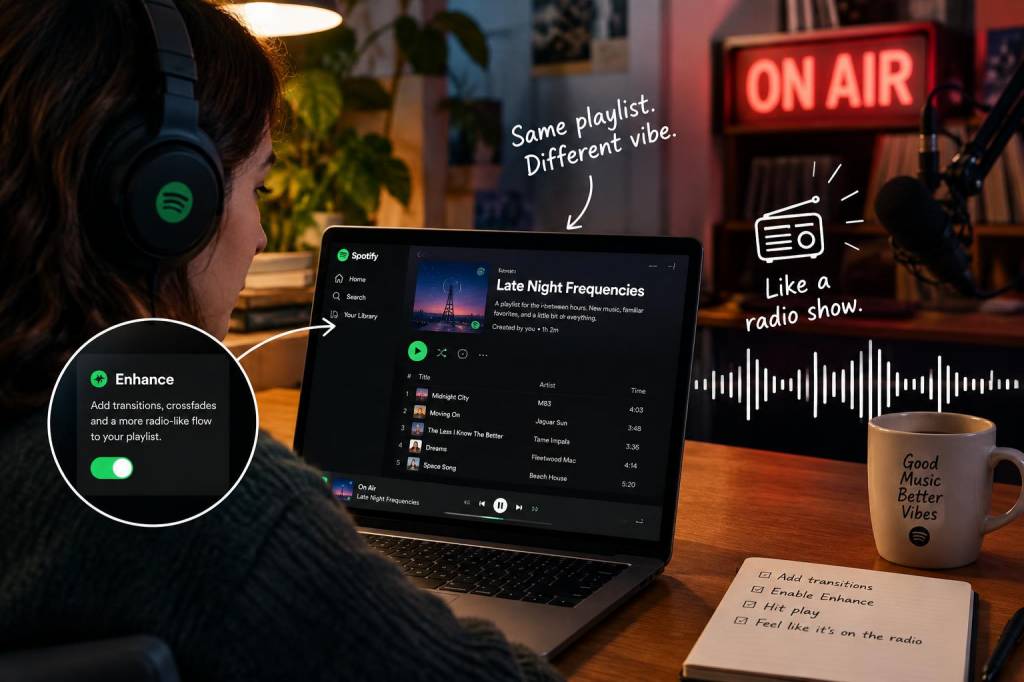
I used to treat playlists like playlists: a shuffled collection of songs I liked, sometimes arranged by mood or decade, occasionally curated into a "perfect" sequence that lasted approximately as long as my attention span. Then I discovered an obscure Spotify feature — the Radio-like queue personalization you can trigger by saving and editing a playlist's starting track — and everything changed. Suddenly my playlists felt less like sterile lists and more like little radio shows, complete with flow, surprises, and personality.
What is the trick (in plain terms)?
Okay, this isn't some hacked-together workaround or a secret developer-only tool. It's actually a combination of three things that Spotify gives you, if you know how to use them together: the "Enhance" option, the queue behavior when you start playing a track, and the "Make Collaborative" + edit" mindset. Individually, they're useful features. Together, they let you create playlists that behave like curated radio shows — with segues, recurring themes, and unexpected yet fitting new tracks tossed in mid-set.
How I stumbled on it
I was making a playlist for a friend’s housewarming: a cozy, slightly quirky mix for that “tea & tile shopping” vibe. I wanted it to feel like someone was DJing — introducing little motifs, returning to an artist here and there, and not just an endless stream of standalone songs. I clicked “Enhance” to see suggestions, then experimented with the queue: if I started the playlist from a specific song and let Spotify auto-fill suggested tracks, the suggested flow felt more organic than when I shuffled the whole playlist.
That’s when a lightbulb went off: what if I intentionally structured the playlist around anchor tracks, used Enhance to sprinkle in complementary songs, and curated the order so the algorithm’s suggestions would feel like intentional segues? It turned a bland list into a mini-programme.
Step-by-step: turn your playlist into a radio show
If you want to test this, here’s the exact routine I use. You’ll need a Spotify account and the mobile or desktop app.
Why this works (and why Spotify's algorithm helps)
Spotify's suggestion engine is trained on millions of transitions — what plays well after what in terms of tempo, key, mood, and listener behavior. When you start playback from a specific anchor track, the algorithm suggests tracks that historically fit after that exact song. By controlling the anchor points and only allowing a small number of algorithmic additions, you get the best of both worlds: human curation for overall arc, machine intuition for smooth handoffs and surprise.
Creative ways I use this for different occasions
I've adapted this radio-playlist method to several scenarios:
Common questions I get about doing this
Does Enhance ruin your original playlist? No. Enhance only adds suggested tracks visually; they’re not permanently inserted unless you click the little plus to add them. I usually add one or two per segment so my original curation remains intact.
Is this feature available everywhere? Most users should have access to Enhance and queue functions on desktop and mobile apps. If you don’t see Enhance, try updating the app or checking region availability.
Won’t the algorithm make things too predictable? If you over-rely on suggestions, yes. That’s why I limit additions to one or two per anchor and intentionally choose anchors that are a bit unexpected. The contrast is what makes a playlist feel like radio: familiarity mixed with surprise.
Tips and finishing touches that make a difference
I love how this method makes music listening feel intentional again. It’s not about defeating the algorithm — it's about partnering with it. A little human touch up front, a nudge from Spotify in the middle, and you have a playlist that feels alive: like someone is spinning the records with you, not just for you. If you try it, ping me a link — I’m always hunting for playlists that double as tiny, perfect radio shows.